Whatever your relationship with design systems, here's the uncomfortable truth: they've gone from a nice organisational bonus to an absolute necessity. And if your team is still building products without one, you're essentially assembling IKEA furniture without the instructions. Except the instructions are also in Swedish. And someone's already lost three of the screws.
If you've worked in product design or development at any point in the last decade, you've probably sat in a meeting where someone said the words "design system" with the reverence normally reserved for religious texts. Maybe you nodded along. Maybe you quietly panicked because your team doesn't have one. Maybe you're the person who's been building one in secret, quietly hoping someone notices before you burn out from maintaining 400 components that three people use.
Whatever your relationship with design systems, here's the uncomfortable truth: they've gone from a nice organisational bonus to an absolute necessity. And if your team is still building products without one, you're essentially assembling IKEA furniture without the instructions. Except the instructions are also in Swedish. And someone's already lost three of the screws.
The Before Times
Let me paint a picture for anyone who wasn't around for the dark ages of digital product design.
Once upon a time, design lived in static files. A designer would create a beautiful mockup in Photoshop, export it as a flat image, throw it over the wall to a developer, and then act surprised when the finished product looked absolutely nothing like what they'd designed. The developer wasn't wrong, necessarily. They were just interpreting a flat picture with no context, no documentation, and certainly no reusable code. It was like trying to build a house from a photograph of a house.
Colours would drift. Typography would vary from page to page. Buttons would exist in seventeen slightly different sizes because nobody had written down which one was correct. Padding would be applied with all the consistency of a toddler with a paintbrush. Every new page was a fresh adventure in "what shade of blue are we using again?"
If you were lucky, someone had created a style guide. A PDF, usually, that sat in a shared folder and was last updated roughly around the time people still thought Google+ was going to take off. It would contain brand colours (in print CMYK values, obviously, because someone from the print team made it), approved fonts, and maybe a few logo usage guidelines. Nobody read it. Nobody updated it. It existed purely so someone could say "we have a style guide" in meetings.
This was the landscape that design systems were born to fix.
What Actually Makes a Design System
There's a surprising amount of confusion about what a design system actually is, even among people who claim to work with one daily. So let's clear it up.
A design system is not a component library. That's part of it, sure, but calling a component library a design system is like calling a steering wheel a car. A design system is not a style guide, either. Style guides are static documents. Design systems are living, breathing ecosystems that evolve with the product.
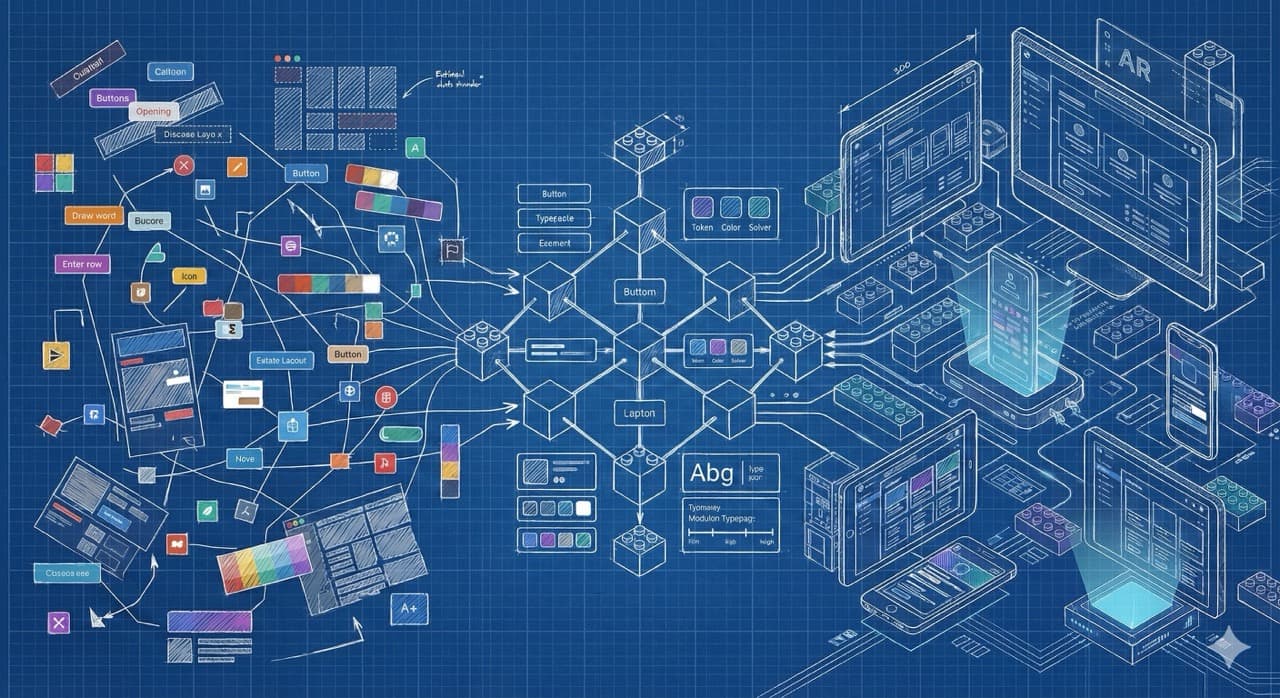
At its core, a design system is a single source of truth for how your product looks, feels, and behaves. It typically includes a few key layers.
First, you've got your foundations. These are your design tokens: the colours, typography scales, spacing values, border radii, shadows, and all the other atomic building blocks that define your visual language. Think of these as the DNA of your product's appearance. Change a token, and it propagates everywhere. Magic.
Then there are components. Buttons, inputs, dropdowns, modals, cards, navigation elements. The reusable building blocks that designers and developers share. These aren't just visual assets. They come with defined states (hover, active, disabled, error), interaction patterns, accessibility requirements, and documented usage guidelines. A good button component doesn't just look right. It behaves right, reads correctly to a screen reader, responds to keyboard navigation, and communicates its purpose without ambiguity.
On top of that sits your patterns layer. These are solutions to recurring design problems. How does your product handle empty states? What does the onboarding flow look like? How do errors surface? Patterns combine components into repeatable solutions that maintain consistency across features built by different teams.
And finally, there's documentation. The glue that holds everything together. Without documentation, you've got a library of components that nobody knows how to use properly. Which is arguably worse than having no components at all, because at least then people know they're winging it.
Why They Became Essential
Design systems didn't become essential because designers got more organised. They became essential because products got more complex.
Ten years ago, a digital product might have been a website and maybe a mobile app. Today, a single product ecosystem can span web applications, iOS apps, Android apps, tablet interfaces, wearable experiences, voice interfaces, embedded devices, and increasingly, spatial computing environments. The companies building these products aren't small teams sitting in one room anymore. They're distributed across time zones, with dozens or hundreds of designers and developers all contributing to the same product family.
Without a shared system, chaos is inevitable. Not the fun kind of chaos. The kind where your iOS app uses a different shade of blue from your web app, your error messages contradict each other across platforms, and your Android team has invented three new button styles because nobody told them the ones on the web app existed.
The numbers back this up. Research from 2024 and 2025 consistently shows that teams using design systems complete design tasks around 34% faster. Enterprise teams report cutting development costs by 30 to 40 percent through reduced duplication and technical debt. Developer onboarding times drop significantly because new team members can reference the system rather than reverse-engineering patterns from the existing codebase. And perhaps most compellingly, consistent interfaces have been shown to improve conversion rates by up to 20%, because users trust products that behave predictably.
These aren't marginal gains. For any product team operating at scale, these are transformative.
The Big Players Got It Right (Mostly)
One of the best ways to understand what makes a design system work is to look at the ones that have shaped the industry.
Google's Material Design is probably the most influential design system ever created. First released in 2014, it's now on its third version and covers everything from colour theory to animation principles to component behaviour across web, Android, and Flutter. The thing that made Material genuinely special wasn't just its comprehensiveness. It was the fact that Google open-sourced it. They essentially gave the entire industry a masterclass in systematic design thinking, for free. Whether you love Material's aesthetic or find it a bit formulaic, there's no denying the impact it had on raising the bar for what a design system could be.
Apple's Human Interface Guidelines take a different approach. Rather than being a design system in the traditional component-library sense, the HIG is more of a philosophy document with incredibly detailed practical guidance. It's prescriptive where it needs to be, principled where it doesn't, and it puts accessibility front and centre in a way that shames most other systems. Every Apple product you use reflects these guidelines, which is precisely why everything in the Apple ecosystem feels cohesive, even across wildly different devices and form factors.
Atlassian's design system powers Jira, Confluence, Trello, and their broader product suite. It's a brilliant example of how a design system can unify complex enterprise tools without making them feel identical. Each product maintains its own personality while clearly belonging to the same family. That's hard to pull off, and Atlassian's done it well.
Shopify's Polaris is particularly worth studying if you're building tools for a diverse user base. It puts accessibility and inclusivity at the core of its design principles rather than treating them as afterthoughts. The documentation is outstanding, explaining not just what each component does but why it exists and when to use it versus alternatives.
And then there are systems like Uber's Base, IBM's Carbon, Adobe's Spectrum, and Microsoft's Fluent, each solving the same fundamental problem (consistency at scale) in ways that reflect their unique product ecosystems and user needs.
The IKEA Problem
Here's where I should probably address the elephant in the room. Design systems have a reputation problem.
Plenty of designers will tell you, usually after a drink or two, that design systems feel restrictive. That they kill creativity. That they turn designers into assembly line workers who just slot pre-made components together like IKEA flatpack furniture rather than crafting bespoke experiences.
I get where this feeling comes from. And honestly, badly implemented design systems absolutely can feel this way. If your system is so rigid that every page looks identical and there's zero room for creative problem-solving, something has gone wrong. A design system should be a foundation you build on, not a cage you work inside.
The LEGO analogy works well here. LEGO blocks are standardised. They're modular. They snap together in predictable ways. And yet people build incredibly diverse, creative, beautiful things with them. The constraint of the system doesn't limit creativity. It channels it. Instead of spending your creative energy deciding what shade of blue a button should be for the fourteenth time this month, you spend it on solving actual user problems. On crafting meaningful interactions. On the things that genuinely require a designer's judgement.
The best design systems understand this balance. They provide opinionated defaults for common cases while preserving escape hatches for legitimate edge cases. They empower teams to move fast on the mundane stuff so they can slow down and think properly about the stuff that matters.
The AI Chapter
We can't talk about design systems in 2026 without talking about AI. Because AI is reshaping this space in ways that would have sounded like science fiction five years ago.
The most immediate change is in how design systems are maintained. Automated audits can now detect drift (when teams start deviating from the system) in real time. AI tools can identify inconsistencies across products, flag components that aren't meeting accessibility standards, and even suggest corrections. The tedious, manual work of keeping a design system healthy is being increasingly automated.
More interesting is what's happening with design-to-code workflows. Tools like Figma are now offering AI-powered features that understand your design system and can generate production-ready code that respects your tokens, components, and patterns. The handoff between design and development, historically the point where consistency goes to die, is getting smoother.
And then there's the generative side. AI can now propose layout variants, content drafts, and component configurations based on intent and constraints. The designer's role shifts from creating from scratch to curating and refining. Which, depending on your perspective, is either exciting or terrifying. I'd argue it's a bit of both, and that's healthy.
The key thing to remember is that AI amplifies whatever system you've already got. If your design system is solid, AI makes you faster. If your design system is a mess, AI just helps you produce mess at scale. Which is arguably worse than producing mess slowly.
Building One Without Losing Your Mind
If you're reading this and thinking "right, we need one of these," here's some practical advice from someone who's been through the process.
Start small. Seriously. The biggest mistake teams make is trying to build a comprehensive system from day one. You don't need 200 components on launch. You need the ten that your team uses most frequently, documented properly, with solid code implementations. Buttons, inputs, typography, colour tokens, spacing. Get those right first.
Get buy-in from engineering early. A design system that only exists in Figma is a style guide with delusions of grandeur. The value comes from shared components that designers and developers both use, maintained in sync, with changes propagating from design to code (or vice versa) without manual translation.
Document everything with context. Don't just show what a component looks like. Explain when to use it, when not to use it, what accessibility requirements it meets, and what its interaction states are. The best documentation answers the question "why?" as often as "what?"
Plan for governance from day one. Someone needs to own the system. Not as a side project. As actual, dedicated work. Systems that nobody maintains decay faster than systems that never existed, because people rely on them and then get burned when they're outdated.
And finally, accept that it will never be finished. A design system is a product, not a project. It grows, evolves, and adapts alongside the products it serves. If you're waiting for it to be "complete" before you launch it, you'll be waiting forever.
Why I Actually Care About This
I should probably explain why someone who primarily writes about video games and builds gaming platforms is writing about design systems. Fair question.
The answer is that building We The Players taught me, in the most hands-on way possible, how critical systematic thinking about design really is. When you're a small team (or, let's be honest, sometimes a team of one) building a product that needs to work across multiple surfaces and serve a diverse community, you don't have the luxury of designing every screen from scratch. You need reusable patterns. You need consistent tokens. You need components that behave predictably so you can focus your limited creative energy on the things that make your product genuinely special.
Design systems aren't glamorous. They don't win awards. Nobody's going to applaud you for having consistent 16px padding across your entire application. But they're the invisible infrastructure that makes good products possible at scale, and great products sustainable over time.
They're eating the world because the world needed eating. And honestly? It tastes better with a bit of consistency.
If you're building a product and don't have a design system yet, don't panic. Start with your buttons. Seriously. If you can get your buttons consistent, everything else will follow. And if your buttons are already consistent, congratulations. You're ahead of roughly 60% of the internet.